
There's a forty-page benefits document sitting in my company's HR portal that I have opened exactly four times.
The first time, I closed it after two pages. The second time, I made it to page six before my eyes glazed over. The third time, I tried reading it out loud, which is a thing I apparently do now when I'm desperate. The fourth time, I copied a section into ChatGPT and asked it to explain it to me like I was a smart adult with no HR background.
That fourth time worked.
Not because ChatGPT is smarter than me. Because explaining dense, jargon-filled documents in plain language is exactly the kind of task it's good at—and it's a task I'd been doing the hard way for years.
This is the workflow I use now. It's the one I wish I'd had three years ago, and it comes with one big rule at the end that I want you to read carefully.

Why Work Documents Are So Hard to Read
Before I get into the method, let me name the actual problem.
Work documents aren't written badly on purpose. Most of the time, they're written defensively. Legal review, compliance review, HR review—every pass adds a layer of caution. Phrases get softer. Exceptions get added. "You may be eligible for" replaces "you get."
By the time a policy or benefits document reaches your screen, it's been sanded down so many times that the original meaning is buried under qualifiers.
That's not a conspiracy. It's just what happens when a document has to survive being read by a lawyer.
The result is a document that's technically accurate and practically unreadable. Which is where ChatGPT comes in.
The Prompt I Use
Here's the core prompt. I've refined this over about a year, and this version is the one I keep coming back to.
"Explain the section below in plain English, as if you're talking to a smart adult who has no background in HR, legal, or insurance terminology.
Rules:
Keep it under 200 words.
Define any term that a normal person wouldn't know.
Do not add information that isn't in the text.
If something is unclear or ambiguous, say so explicitly instead of guessing.
Flag anything that sounds like it has conditions attached—eligibility rules, exceptions, or deadlines.
Do not give me advice. Just explain what the text says."
Three lines in that prompt do most of the work. Let me explain them.
"Do Not Add Information That Isn't in the Text"
This is the most important line, and it's the one people skip.
ChatGPT's default mode is helpful. When something is vague, it fills the gap with a reasonable-sounding explanation. In most contexts, that's fine. In a benefits document or a contract clause, it's dangerous.
If the document says you may be eligible, and ChatGPT explains it as if you are eligible, you've just been handed a confident, clean-sounding wrong answer. That's worse than not understanding the document at all, because at least when you're confused, you ask someone.
The "do not add" instruction forces it to stay inside the text.
"Say So Explicitly Instead of Guessing"
This pairs with the line above.
A lot of work documents are genuinely ambiguous. There's a reason nobody can give you a straight answer—the document itself doesn't contain one. When that's the case, I want ChatGPT to tell me it's unclear, not to smooth it over.
An explanation that says "this section is ambiguous about X" is more useful than one that confidently resolves X on its own.
"Do Not Give Me Advice"
This one took me a while to add.
Early on, I asked ChatGPT to explain a section of our benefits document, and it ended with a paragraph about what I should do. It was reasonable-sounding and completely out of its depth. It didn't know my situation, my plan options, or my family's needs.
Now I ask for explanation only. Decisions I make with a human.
A Real Example
Let me show you how this actually looks. I've paraphrased a section from a real policy document—the structure is accurate, the specifics are changed.
The Original Text
"Employees may be eligible for reimbursement of approved professional development expenses, subject to prior authorization by the department manager and contingent upon budget availability at the time of request. Requests submitted after the commencement of the relevant activity will not be considered. Reimbursement is limited to items deemed directly applicable to the employee's current role and shall not exceed the annual allocation established by the department."
That's one sentence in the original. One.
What ChatGPT Gave Back
This section says you might be able to get money back for work-related training or courses, but there are conditions:
You must get approval from your manager before you start.
The money has to be available in the budget when you ask.
If you already started the course, you can't request reimbursement.
It only covers things directly related to your current job—not something you're hoping to move into.
There's a yearly cap, but this section doesn't say what it is. You'd need to check the department's allocation.
The word "may" at the start means eligibility isn't guaranteed even if you meet all the conditions.
That's about 110 words. It took 15 seconds. I understood more from that than from three years of skimming the original.
Notice what it did in point five. It flagged a gap—the document references an annual allocation but never states the number. That's exactly the behavior I want. It didn't invent a figure. It told me where to look.
Where I Use This
This isn't just for benefits documents. I've used the same approach on:
Vendor contracts. Before signing anything, I run the terms through and ask for a plain-English explanation of the obligations. I still send it to legal. But I show up to that conversation knowing what I'm asking about.
Process documentation. Our internal procedures are written for people who already know the process. Explaining them in plain language helps me onboard new team members.
Client requirement documents. When a client sends a spec, I can turn it into a checklist I actually understand before I start asking questions.
Insurance and policy documents. Same as benefits. The pattern is always the same—dense text in, plain language out.
Long email threads. Not strictly a document, but the same principle. Paste the thread, ask for a plain-English summary of what's actually being decided.
In every case, the goal is the same: understand the document well enough to ask better questions of the person whose job it is to answer them.
The Rule I Want You to Read Twice
Here it is.
Do not paste confidential work documents into ChatGPT.
I need to be very clear about this, because it's the one place where this workflow can get you in real trouble.
Every company has its own policy about external AI tools. Some permit it. Some prohibit it entirely. Some allow it for non-sensitive material only. I don't know what your policy says, and neither does ChatGPT.
What I do:
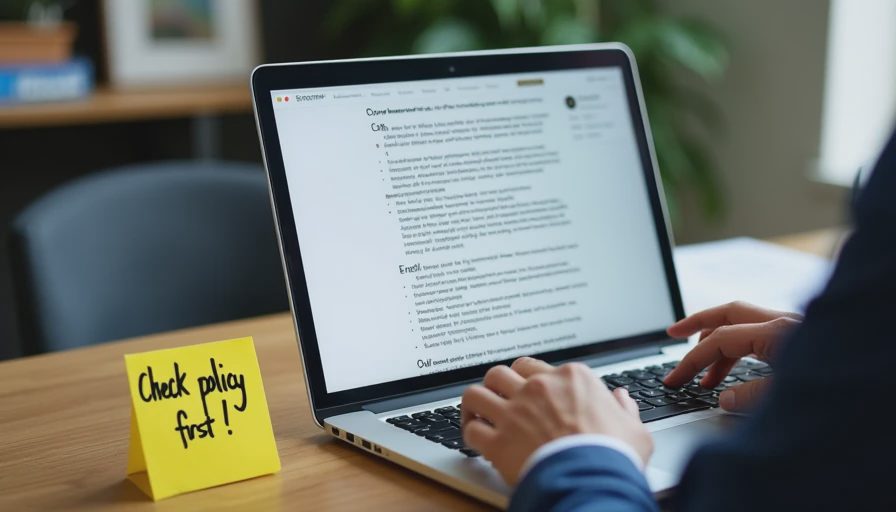
I check my company's policy before using any external tool on work material
I never paste anything marked confidential, internal-only, or restricted
I never paste documents containing personal information about employees, clients, or customers
I never paste contracts, pricing, or anything with a signature block
When I need help with something sensitive, I describe the structure of the problem instead of pasting the text
That last one is the practical workaround. Instead of pasting a real contract clause, I might say: "Explain this type of clause in plain English: [generic description of the clause type]." I get the general understanding without moving confidential text into a chat window.
If you're not sure whether something is safe to paste, it isn't. Ask first. The document will still be there tomorrow.
The Test Card
Task: Understand a dense work document well enough to ask informed questions.
Prompt or workflow: The explanation prompt above, with explicit "do not add," "flag ambiguity," and "no advice" rules.
Starting conditions: A multi-page policy or contract document, unfamiliar terminology, and no background in the subject.
Time before ChatGPT: Roughly 40 minutes of reading with partial comprehension, plus a follow-up email to HR or legal with questions I wasn't sure were the right questions.
Time after ChatGPT: About 10 minutes—copy a section, run the prompt, read the explanation, note the flagged gaps.
Editing required: None on the output itself. Some editing of my understanding once I compared the explanation to the original.
What went wrong: Early attempts added information that wasn't in the document and gave unsolicited advice. Both were fixed by explicit constraints in the prompt.
Privacy notes: Never paste confidential, internal-only, or personally identifying material. Check your company's AI policy first. When in doubt, describe the structure of the document instead of pasting it.
Who should not use this method: Anyone in a workplace that prohibits external AI tools. Anyone working with documents they can't legally or ethically paste into a third-party service. Anyone who needs a definitive answer—this produces understanding, not certainty.
What This Doesn't Replace
I want to end on this, because it's the thing that keeps this workflow from being reckless.
ChatGPT explaining a document is not the same as a human answering your question about it.
The explanation helps me understand what the document says. It does not tell me how the document applies to me. It doesn't know my situation, my history, my manager's interpretation, or the way our company actually operates versus how it says it operates.
So the workflow ends the same way every time: I read the plain-English version, I note what's unclear, and I take those specific questions to the person whose job it is to answer them.
That's not a limitation of the tool. That's the correct division of labor.
ChatGPT reads. I decide. And when it's money, health, or legal, a human signs off.
The Bottom Line
Dense documents are hard because they're written to survive review, not to be understood. That's a real problem, and it's one ChatGPT is genuinely good at solving.
Give it one section at a time. Tell it not to add anything. Tell it to flag ambiguity instead of resolving it. Tell it not to give advice.
Then read the flagged items, write down your questions, and go ask a person.
I tried it at my desk so you don't have to. Useful beats impressive—and understanding your own benefits document is about as useful as it gets.