
I still have the screenshot of the worst ChatGPT response I ever received at work.
It was early in my testing days. I had a messy internal update that needed to go to three managers. The original draft was too long, jumped between topics, and used three different ways to say the same delay had occurred. I was short on time and shorter on patience. So I did what a lot of people do when they first open the tool. I pasted the whole thing in and typed four words:
“Make this better.”
What came back looked polished. The sentences were smooth. The vocabulary was more sophisticated. And the actual point of the message had almost disappeared. Key dates were softened into vague phrases. The specific request for a decision was turned into a gentle suggestion. One risk I had flagged in plain language was rewritten into something that sounded like a minor inconvenience. I spent more time fixing the “improved” version than I would have spent rewriting the original from scratch.
That was the day I learned a simple rule I still follow: “Make this better” is not a prompt. It is a wish. And ChatGPT is not a mind reader.
I’m Alex Rivera. I work in operations and project support in Peoria. I test ChatGPT the same way I test any other desk tool—by using it on real work, measuring the time, and keeping only what survives an actual Monday. This post is the full story of that first failed test, why vague instructions produce confident nonsense, and the five-part structure I eventually built so I stop wasting time on pretty but useless drafts.
The Setup: A Real Internal Update That Needed Help
The message was a status update on a delayed shipment that affected two customer orders. I needed three managers to understand:
What happened
Why it happened
What we were doing about it
What decision I needed from them by the end of the day
My first draft had all the facts, but it was poorly organized. Sentences ran long. The request for a decision was buried in the third paragraph. It was the kind of update that makes people reply with “Can you clarify?”—exactly the reply I wanted to avoid.
I was already late sending it. So I tried the shortcut.
The Exact Exchange
I removed every company name, customer identifier, and internal code. Then I pasted the cleaned draft and wrote:
“Make this better.”
The response arrived in seconds. It was longer than my original. It used words like “optimize,” “leverage,” and “proactively align.” It turned my clear request for a decision into a soft invitation for “further discussion at your earliest convenience.” The concrete deadline I had included vanished. The risk I had stated in one plain sentence became a vague note about “potential downstream considerations.”
It looked professional. It was also almost useless.
Why the Failure Was Predictable
ChatGPT does not know what “better” means in your specific situation. It only knows patterns from the text it has seen. When you give it no constraints, it defaults to making the writing smoother, more formal, and often more generic. Smooth and generic is not the same as clear and useful.
In my case, the tool optimized for polish instead of clarity. It removed the friction I actually needed—the direct request and the specific deadline—because direct requests can sound less “professional” in the average training data. The result was an email that would have created more follow-up work, not less.
I had made three classic mistakes:
No clear definition of what “better” looked like
No length or structure limits
No instruction to preserve key facts and the decision request
Those three gaps were enough to turn a usable draft into something I could not send.
The Test Card for the Failed Attempt
Task
Improve a messy internal status update so managers could quickly understand the situation and the decision needed.
Prompt or workflow
“Make this better.” (plus the cleaned original draft)
Starting conditions
Real internal update with dates, impact, and a clear decision request. Privacy filter applied. Time pressure high.
Time before ChatGPT
About 25 minutes already spent on the original draft.
Time after ChatGPT
2 minutes to generate + 18 minutes to repair the output and restore the missing points. Net result: more time spent, not less.
Editing required
Heavy. I had to re-insert the deadline, rewrite the decision request, and remove several inflated phrases.
What went wrong
Key facts were softened or removed. Tone became generic. The core request was diluted. The output looked better and performed worse.
Privacy notes
All identifying details were removed before pasting. Final version was reviewed before sending.
Who should not use this method
Anyone. “Make this better” with no further instruction is almost always a poor starting point for work writing.
What I Changed the Next Day
I took the same original draft and tried again with a completely different approach. Instead of asking for a vague improvement, I gave specific instructions:
“Rewrite the following update. Keep every date, number, and concrete fact exactly as written. Put the decision I need in the first three sentences. Use short paragraphs. Keep the total under 180 words. Tone should be direct and professional, not formal or soft. Do not add suggestions I did not make.”
The second version came back usable. I changed two words and sent it. Total time including the new prompt: under eight minutes.
That contrast taught me more than any successful demo. The difference was not the tool. The difference was the quality of the instruction.
The Five-Part Prompt Structure I Still Use
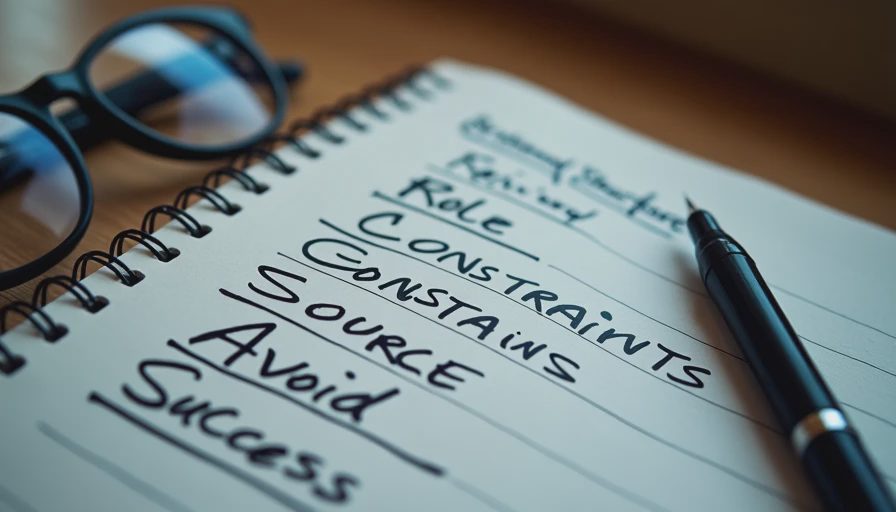
After that failure I stopped asking ChatGPT to “improve” things in the abstract. I started using a simple five-part structure for almost every writing task:
Role and task – What I need the output to be
Constraints – Length, tone, format, what to preserve
Source material – The cleaned facts or draft
What to avoid – Softening, inventing, or removing key points
Success criteria – How I will judge the result
Here is how that structure looked for the same update:
“You are helping me write a clear internal status update. Rewrite the text below. Keep every date, number, and fact exactly as written. Put the decision I need in the first three sentences. Use short paragraphs. Maximum 180 words. Tone: direct and professional. Do not soften the risk or turn the request into a suggestion. Do not add new recommendations.”
That version consistently produced drafts I could edit in minutes instead of rewriting from scratch.
Why Each Part Matters
Leaving out the constraints is how you get polished fluff. Leaving out the “what to avoid” section is how key points disappear. Leaving out the success criteria means you have no clear way to judge whether the output is actually better for your purpose.
I still adjust the structure for different tasks, but I almost never skip these five pieces when the writing has to be usable at work.
Common Vague Prompts That Waste Time
In the weeks after that first failure I tested several other popular shortcuts. Most of them failed in similar ways:
“Make this more professional” → often produced stiffer, longer text
“Improve the clarity” → sometimes removed necessary detail
“Rewrite this better” → same problems as the original test
“Make it sound more confident” → occasionally invented stronger claims than the facts supported
None of these are evil. They are just incomplete. Without constraints, the tool fills in the blanks with average patterns instead of your actual needs.
How I Test Prompts Now
I run a simple side-by-side method whenever I am unsure about a new instruction. I take the same source material and try two or three different prompts. I measure:
How much editing each version needs
Whether key facts survive
Whether the tone matches what I would actually send
Total time from prompt to final version
The prompt that wins is the one that leaves me with the least work, not the one that looks the most impressive on first glance. Useful beats impressive. Every time.
I also keep a short personal log of prompts that failed. The “make this better” test sits at the top of that list. It reminds me not to get lazy when I am in a hurry.
What This Means for Everyday Use
If you have been pasting text into ChatGPT and asking it to improve the writing, you are not alone. A lot of people start exactly where I did. The good news is that the fix is straightforward. Replace the vague wish with a clear set of instructions. Tell the tool what to keep, what to change, how long the result should be, and what success looks like.
You do not need clever role-play or long lists of adjectives. You need specificity.
And you still need to edit. Even a well-structured prompt can produce a sentence that does not sound like you or a detail that needs double-checking. The human review step is part of the workflow, not an admission of failure.
Looking Ahead in the Prompt Bench Series
Future posts in this category will show more side-by-side tests: the same task with different prompts, small wording changes that improved results, and the prompts I actually reuse for emails, meeting notes, and short reports. Each one will include the full test card so you can see the time numbers and the limits.
I still make mistakes. I still occasionally type a lazy instruction when I am tired. But I catch it faster now because I know what the failure looks like.
I tried it at my desk so you don’t have to. No magic. Just a workflow that survived Monday. If a prompt saves time, I’ll show you how much—and if it wastes time, I’ll show you that too.