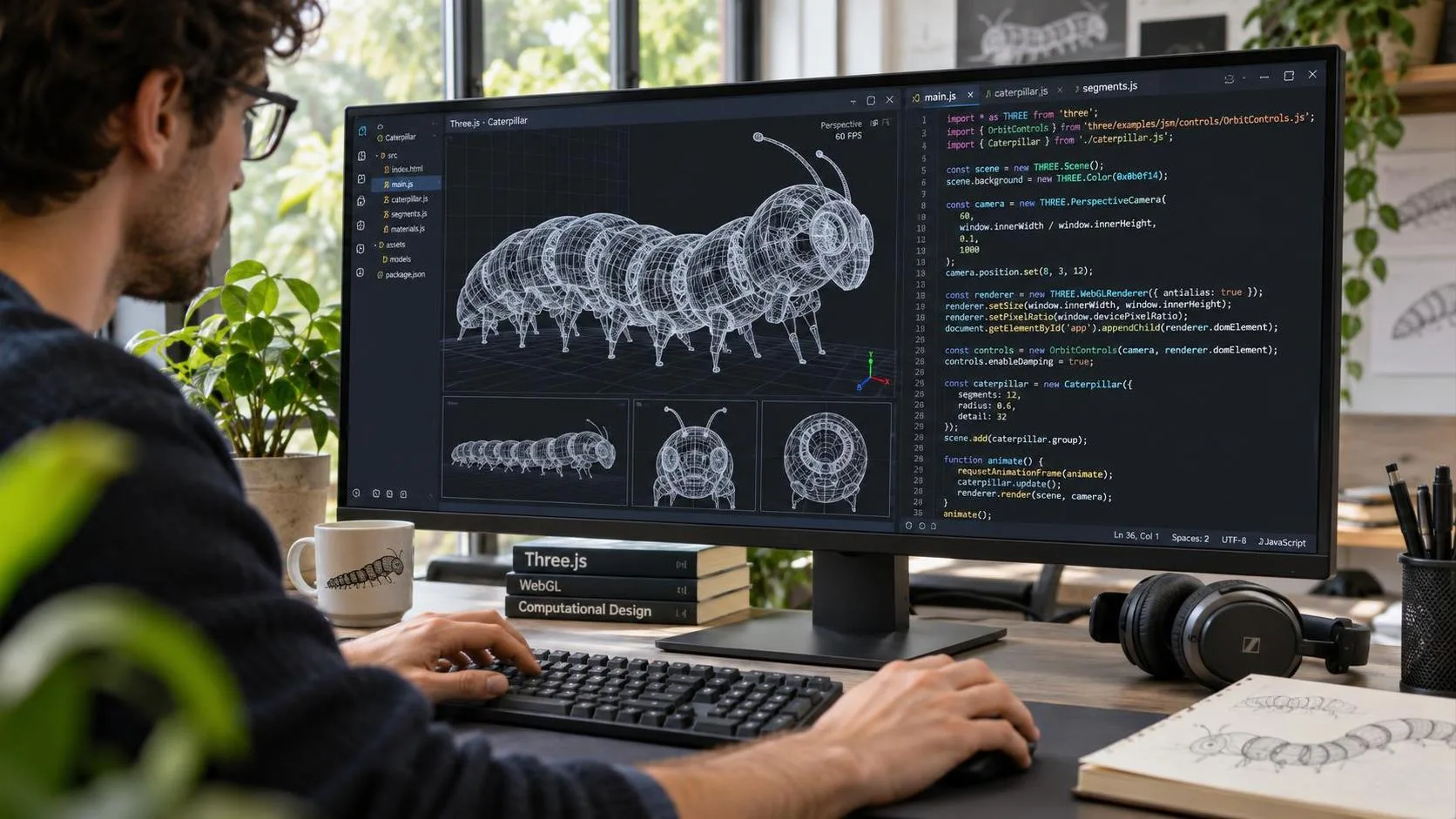
Building an interactive 3D web experience used to require several specialized skills: 3D modeling, scene composition, texture design, programming, and performance optimization. AI coding tools have made parts of this process much more accessible, but asking one model to handle everything is rarely the most efficient approach.
A better strategy is to let each tool handle the work it does best.
A recent production walkthrough of the Caterpillar Chapter from Alice in Wonderland demonstrates this idea particularly well. The project combines Codex, Three.js, Nano Banana Pro, and Tripo to create an interactive Web3D environment without relying entirely on traditional manual modeling.
The workflow reveals an important principle: use AI coding tools to build the scene framework and interaction logic, while specialized 3D generation tools handle detailed assets.
Here is how the process works, why each stage matters, and how independent developers and creative teams can apply the same approach to their own projects.
1. Start with Visual Research, Not Code
Before opening Codex, establish what the scene should look like and how users should experience it.
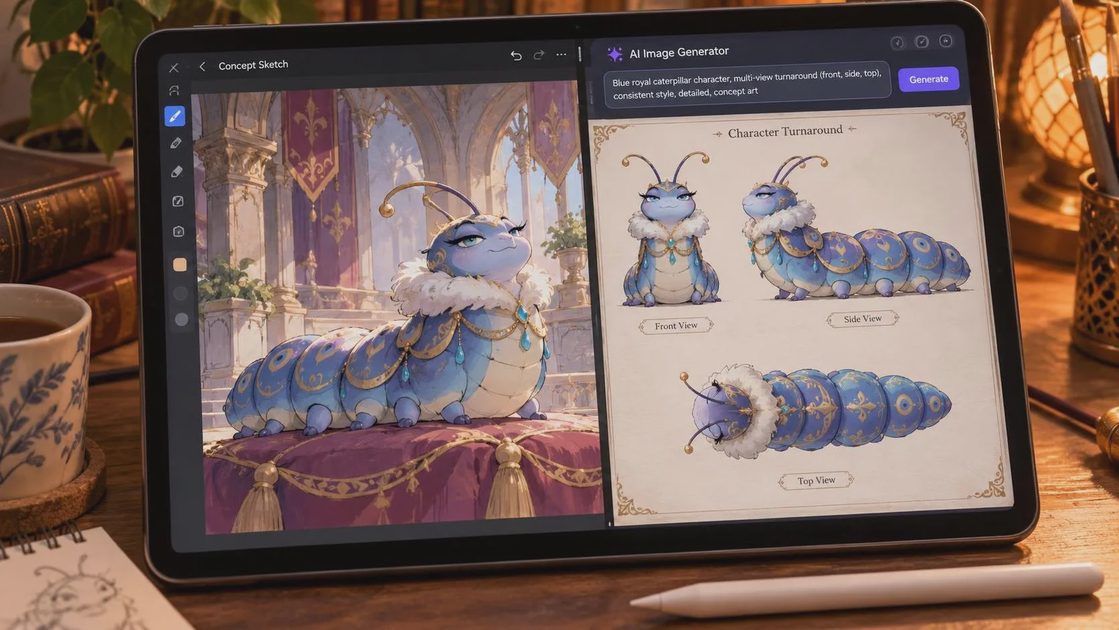
The Caterpillar Chapter project offers a useful example of visual positioning. Rather than reproducing the familiar forest setting found in many traditional Alice in Wonderland illustrations, the team made the giant blue caterpillar the central visual landmark.
They developed the surrounding environment around this character, combining flowers, leaves, mushrooms, and aged metal into a decorative palace inspired by Alphonse Mucha.
This decision creates two important visual advantages:
A recognizable focal point: The oversized caterpillar gives visitors an immediate visual destination.
A consistent design language: Repeating decorative elements makes the environment feel like one coherent world rather than a collection of unrelated 3D objects.
This stage should produce a clear visual direction before any modeling begins.
Think about the dominant character, architectural language, color palette, lighting, environmental details, and the scale relationship between objects.
For a Web3D project, also consider the camera perspective and how users will navigate the environment. A beautiful scene that becomes confusing when viewed from different angles is not a successful interactive experience.
2. Generate Multi-View References with Nano Banana Pro
Once the visual direction is established, the next challenge is translating a creative concept into something a coding agent can build.
A single reference image rarely provides enough information to reconstruct a complex environment. It may show the front of a building beautifully, but reveal little about its depth, layout, or side structures.
This is where Nano Banana Pro becomes useful.
Instead of asking it to generate another attractive illustration, use it to break the concept into multiple reference views.
Useful outputs include:
Front elevation views for architectural proportions.
Top-down views for the overall scene layout.
Side views for depth and structural relationships.
Close-up references for decorative objects and repeated patterns.
These images provide a more complete visual specification for Codex.
Why stylized references work better for Web3D
One important decision in the Caterpillar project was choosing a stylized, limited-tone rendering approach rather than pursuing photorealism.
Highly realistic scenes often require more detailed geometry, complex materials, and expensive lighting calculations. Those costs become especially noticeable when everything must render smoothly in a browser.
A two-tone or three-tone visual treatment can preserve strong shapes, shadows, and visual identity without requiring every object to have physically realistic surface detail.
The objective is not to make the scene look technically simple. It is to make it look visually intentional while keeping rendering demands manageable.
3. Use Codex and Three.js to Build the Scene Framework
With the reference images ready, Codex can take over the structural development.
Three.js provides the WebGL-based rendering framework needed to display 3D objects, manage cameras, materials, lighting, and user interactions in the browser.
Codex can help write the Three.js code, establish the scene hierarchy, and construct the major architectural components.
For the Caterpillar Palace, these might include:
Main walls and supporting pillars.
Stairs, floors, and platforms.
Decorative frames and structural elements.
Camera positioning and lighting.
Basic object placement and scene navigation.
However, there is an important limitation: Codex is generally more reliable at constructing structured environments than producing highly detailed artistic models entirely through code.
It can create a recognizable architectural framework, but reproducing an intricate decorative character or a carefully sculpted organic object may require substantial prompting and debugging.
Trying to achieve production-quality character modeling through code alone can quickly become an expensive iteration loop.
Build large structures first, then improve their appearance
A more efficient method is to separate scene construction from visual refinement.
Start by creating simple geometric structures with accurate proportions. Once the main layout works, apply texture maps to large surfaces such as walls, floors, stairs, and pillars.
Then add decorative details progressively.
This layered approach makes it easier to identify which part of the scene needs improvement. It also avoids spending time refining small objects before the overall composition is correct.
For example, a basic staircase with the right dimensions and position is more valuable during the early stage than a beautifully textured staircase placed in the wrong location.
4. Generate Detailed 3D Assets with Tripo P2.0
Once the structural framework is ready, the next challenge is adding visually rich standalone objects.
This is where specialized AI 3D generation tools become more useful than asking Codex to construct every model from scratch.
The Caterpillar project uses Nano Banana Pro to generate a collection of style-consistent object references, then sends those images to Tripo for 3D generation.
The process looks like this:
Generate individual object concepts using Nano Banana Pro.
Maintain consistent colors, proportions, and decorative styles.
Upload the reference images to Tripo.
Generate the corresponding 3D models in batches.
Inspect geometry and topology before importing the assets into the scene.
Tripo P2.0 is particularly relevant because its P-series workflow supports native quad topology and controllable polygon budgets. These features make generated meshes more suitable for editing and real-time production than models that cannot be easily modified.
For web projects, however, do not assume that a generated model is automatically optimized. Inspect polygon counts, texture sizes, mesh structure, and material complexity before integration.
Export in the format supported by the selected topology and your rendering pipeline. GLB is a convenient choice for many Three.js projects, while certain quad-topology workflows may require FBX.
The distinction matters: a model that looks excellent in Tripo's preview may still need optimization before it performs well in a browser.
Why this division of labor saves time
Codex is good at building repeatable structures and connecting assets to application logic. Tripo is designed specifically to generate editable 3D geometry.
Using both avoids forcing a coding model to solve a specialized modeling problem through repeated code revisions.
The result is a more practical production pipeline: AI generates the framework, specialized tools produce the detailed objects, and the developer controls how everything comes together.
5. Build a Scene Editor Before Arranging Every Object
One of the most useful techniques in this workflow is creating a small editor inside the Web3D application.
Imagine trying to position 30 decorative objects by describing their exact coordinates to Codex.
You might ask it to move one mushroom slightly left, rotate a flower by 20 degrees, or move a pillar backward. The process quickly becomes tedious, especially when the visual result is difficult to describe precisely.
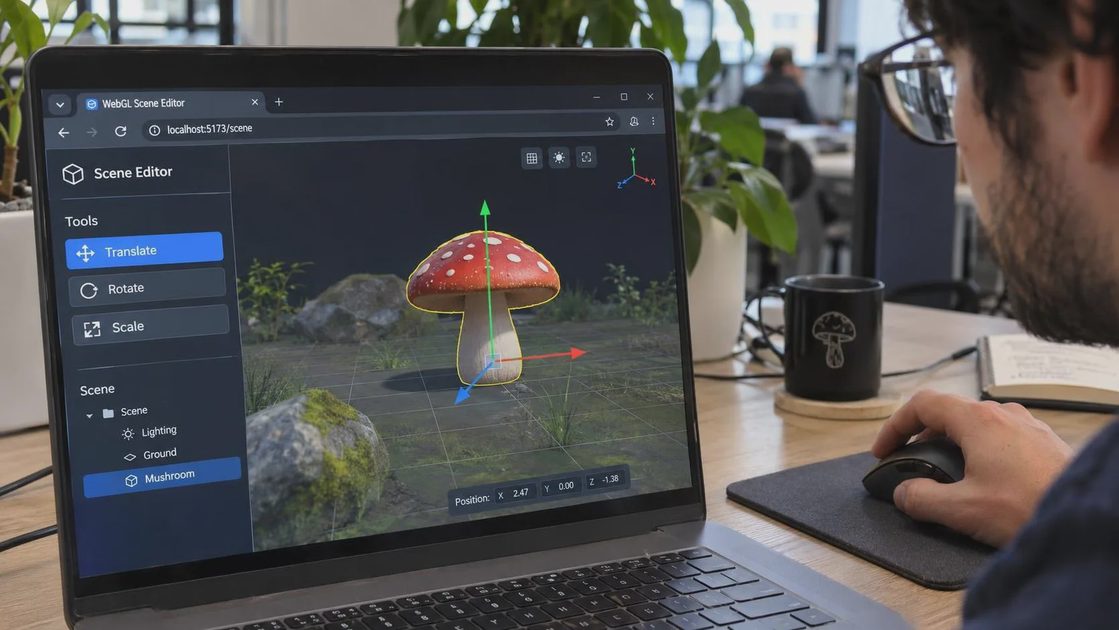
A better solution is to ask Codex to build a simple scene editor.
At minimum, it should support:
Moving objects along the X, Y, and Z axes.
Rotating objects.
Scaling objects.
Selecting individual assets.
Saving and restoring scene layouts.
Once the editor exists, you can drag objects into position visually instead of repeatedly translating artistic decisions into natural-language instructions.
This is especially useful for creative projects where composition matters more than exact mathematical coordinates.
It also makes later adjustments easier because the scene layout can be modified without rewriting the underlying application.
Add interactions that give the scene a purpose
After arranging the assets, develop interaction mechanics that encourage exploration.
The Caterpillar Chapter uses an awakening mechanic. Objects initially appear as white, inactive models. When visitors approach and press the F key, the selected object gradually gains its materials, with the activation effect progressing from bottom to top.
The scene becomes a small exploration challenge: visitors must awaken all the objects to complete the experience.
There is also a playful caterpillar interaction. Visitors can enter an English letter, and the character responds by producing a smoke ring shaped like that letter.
These mechanics demonstrate an important distinction between a 3D visualization and an interactive experience.
A collection of models provides visual content. Interaction gives visitors a reason to explore that content.
6. Optimize the Web3D Scene Before Publishing
A visually impressive scene is not useful if it takes too long to load or performs poorly on ordinary laptops and mobile devices.
Web3D performance should be considered throughout production, not postponed until the final export.
Several practical optimizations are worth prioritizing:
Reduce unnecessary geometry. Use low-poly assets where small details are unlikely to be visible. Avoid excessive subdivisions on objects that occupy little screen space.
Reuse materials and geometry. Repeated decorative objects should share resources where possible rather than creating unnecessary duplicate materials and meshes.
Compress textures. Large texture files can increase loading time and memory usage. Use appropriately sized textures and modern GPU-friendly formats when supported.
Control draw calls. Too many individual objects can create CPU overhead. Instancing and geometry merging can help when many similar objects appear together.
Use efficient lighting. Avoid expensive real-time effects when baked lighting, simpler shading, or stylized materials can achieve a similar visual result.
Load assets progressively. Prioritize the main scene and visual focal point, then load secondary details as needed.
These optimizations help preserve the visual quality of the experience without treating every object as equally important.
7. The Best Codex 3D Workflow: Let Each Tool Do Its Job
The biggest lesson from this production approach is that the best AI-assisted 3D workflow is not necessarily the one with the most powerful individual model.
It is the one that assigns tasks intelligently.
Tool | Primary responsibility |
|---|---|
Codex | Scene architecture, Three.js code, editor development, interactions |
Nano Banana Pro | Concept art, visual direction, multi-view references |
Tripo P2.0 | Detailed 3D asset generation and topology |
Three.js | Browser rendering and interactive scene execution |
Tripo also provides a Codex plugin that allows developers to request 3D assets through Codex and save generated files directly into a project. This reduces the friction between code development and asset generation. See the official Tripo Codex Plugin documentation.
The integration does not eliminate the need to inspect generated assets, but it makes the workflow more connected.
For independent developers, this means a single person can coordinate visual research, structural development, asset generation, and interaction programming without manually performing every specialized task.
Final Thoughts
Codex makes interactive 3D web development more accessible, but its biggest advantage is not that it can replace every traditional 3D tool.
Its real value is in coordinating the development process: creating the scene framework, writing Three.js logic, building editing tools, and implementing interactions.
For detailed characters, decorative objects, and complex standalone assets, specialized 3D generators such as Tripo are often a more efficient choice.
The practical formula is straightforward:
AI for structure. Specialized 3D tools for assets. Human judgment for composition and quality.
That division of labor is a much more realistic path toward building visually rich, interactive Web3D experiences without turning every modeling task into a lengthy coding experiment.